How to build your first IT homelab


Whether you’re an experienced IT pro curious about technologies you don’t get to fully explore at work, or you’re earlier in your career and want to start beefing up skills that will land you an even better job down the line, you may have toyed with the idea of setting up your own homelab at one time or another.
There’s always something new to learn in the field of IT. Maybe you know networking inside and out but want to experiment with containerization, or perhaps you’re adept at server administration but want deeper experience with cloud platforms.
Whether you’re looking to fill knowledge gaps, explore new technologies, or you just want a sandbox where you can experiment and break things without having to worry about anxious users blowing up your phone and email inbox, an IT homelab gives you unique freedom to push boundaries and learn from the experience.
Planning your homelab before you build
Whatever your motivation, the key to success with a homelab is being realistic about what you want to achieve and what you’re willing to invest. Here are essential considerations to keep in mind before you start ordering equipment or spinning up virtual machines:
Budget reality check: Homelabs can range from completely free (using your existing computer for virtual labs) to several hundred dollars for basic hardware setups. The good news? You don’t need enterprise-grade equipment to learn enterprise-level skills. Used business hardware often provides the most realistic learning experience at a fraction of the cost.
Space and environment: Are you working with a spare bedroom, a closet corner, or just your existing laptop? Hardware labs need ventilation and can generate noise—something to consider if you’re sharing living space. Virtual labs, on the other hand, require nothing more than decent computing power and internet connectivity.
Learning objectives: What specific problems do you want to solve? Are you trying to understand networking fundamentals, get comfortable with cloud technologies, or explore containerization? Your goals should drive your lab design, not the other way around.
Time commitment: Be realistic about setup and maintenance time. A hardware lab might take a good chunk of your weekend to configure, while virtual environments can often be deployed in hours. But both require ongoing attention to remain useful learning tools.
The most successful homelab will start small and grow based on what you actually use and enjoy working with.
Building with physical hardware
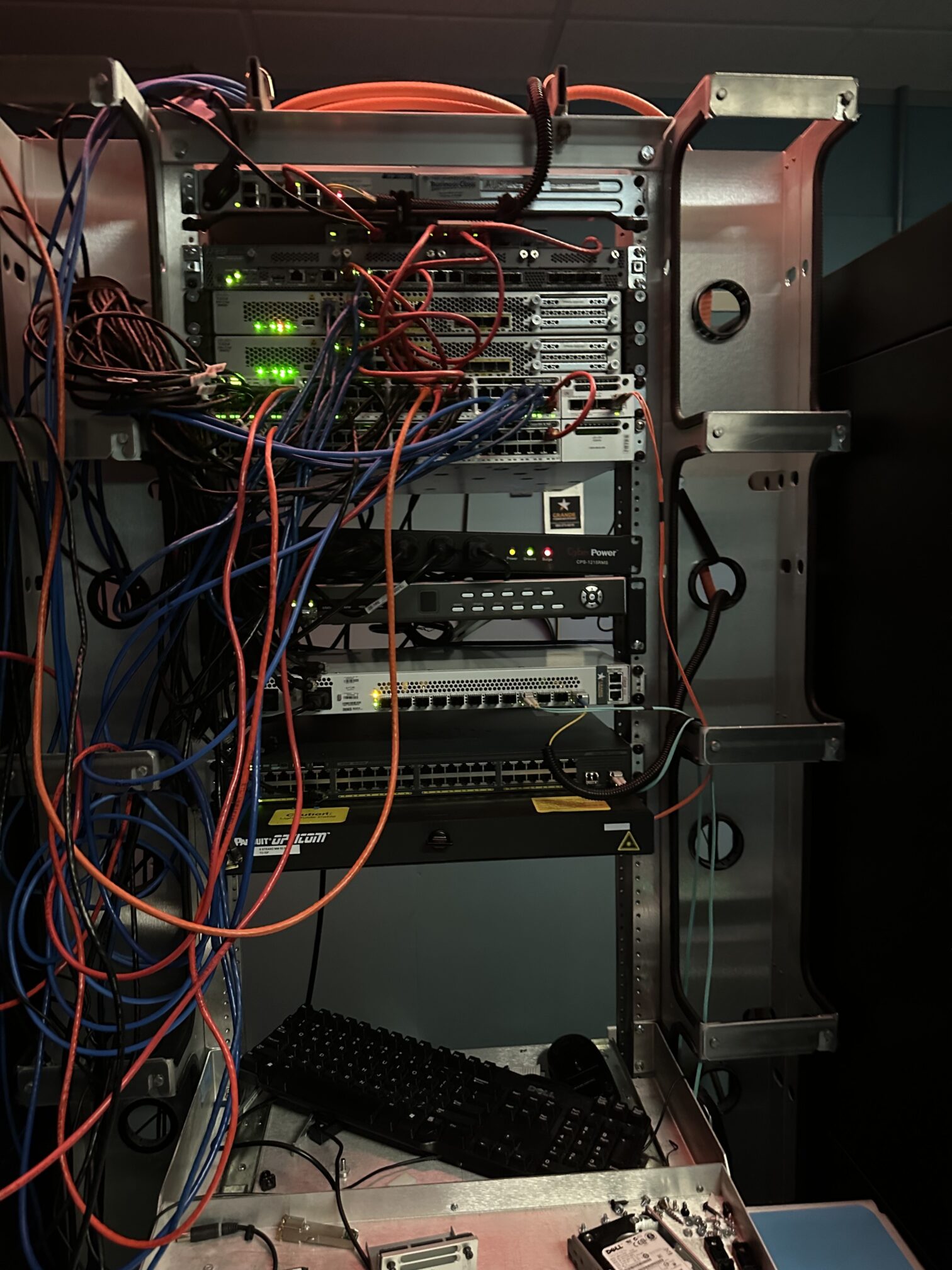
When hardware labs excel:
- Networking fundamentals with actual switches and routers
- Server administration with real power and cooling constraints
- Understanding physical failure modes and troubleshooting
- Preparing for roles involving physical infrastructure management
Smart hardware choices:
- Used business equipment: Dell PowerEdge or HP ProLiant servers provide realistic enterprise experience
- Managed networking gear: Cisco, HP, or Ubiquiti switches for hands-on VLAN and routing experience (Cisco gear may require licensing for advanced features, while HP and Ubiquiti are typically more flexible)
- Budget alternatives: Raspberry Pi clusters for distributed computing concepts or Intel NUCs for full server functionality in a quiet, low-power package
- Power considerations: Modern used equipment balances realistic experience with practical operation
Carefully consider power consumption and heat generation. A few older servers can significantly impact your electric bill and room temperature.
Going virtual with software-based labs
Virtual labs shine when you’re exploring cloud technologies, software-defined networking, containerization, or any scenario in which you need to rapidly deploy and test multiple configurations. They’re also perfect when physical space or noise is a concern, or when you want to experiment with expensive enterprise software using free trials or educational licenses.
Virtual labs excel for:
- Cloud platform learning (AWS, Azure, Google Cloud free tiers)
- Container orchestration with Docker and Kubernetes
- Software-defined networking simulations
- Rapid configuration testing and rollback
Platform options to consider:
- Local virtualization: VMware Workstation, VirtualBox, Hyper-V on existing hardware
- Cloud-based labs: AWS, Azure, and Google Cloud free tiers plus dedicated training environments
- Hybrid approaches: Local development with cloud deployment
- Container platforms: Docker and Kubernetes on local machines
Key advantages:
- Lower barrier to entry and minimal upfront costs
- Scalable spending based on actual usage
- Easy snapshot and restore capabilities
- No ongoing power or cooling expenses
Choosing your first project
The key to homelab success is choosing a first project that aligns with your goals while building on knowledge you already have. Your project should provide concrete learning outcomes and be achievable in a reasonable timeframe. Nothing kills motivation like an overly ambitious first attempt, so set yourself up for success.
Spiceworks community member @yellowmonkey recommends a step-by-step approach:
“Create yourself a simple goal, achieve it, then create yourself a slightly more complicated goal. For example, you may begin by simply getting your Active Directory domain created and joining a machine to the domain. Your next goal may be to change a wallpaper on a machine via Group Policy. Your next goal may be to use Group Policy to limit certain users from doing administrative tasks on that machine.”
Starter project ideas:
- Networking focus: VLAN setup and inter-VLAN routing
- Systems administration: Active Directory domain deployment
- Modern IT: Container orchestration with simple web applications
- Security emphasis: Network monitoring using pfSense or ELK stack
Success metrics:
- Can you explain your setup to a colleague?
- Can you independently troubleshoot common problems?
- Do you feel more confident discussing these technologies in professional contexts?
Get in the habit of backing up your configurations before making changes. This way, you can freely experiment while knowing you can always restore a working state if need be.
Consider documenting your setup and lessons learned along the way. This documentation becomes valuable both for your own reference and as evidence of your hands-on experience when discussing projects with potential employers or colleagues.
What you gain from building a homelab
Building a homelab changes how you approach technology challenges. Instead of just reading about solutions or watching demonstrations, you develop the valuable knowledge that comes from implementing, breaking, and fixing systems yourself.
This hands-on experience transforms you from someone who is merely familiar with a particular technology to someone who deeply understands it—including the funky quirks and oddities that nobody thought to mention in the technical manual.
Once you gain this insight, you’ll find yourself thinking in terms of practical solutions rather than theoretical possibilities when similar challenges crop up at your workplace. That shift in perspective, from observer to practitioner, will likely make you even more effective at your current IT role while positioning you well for future opportunities, too.[/vc_column_text][/vc_column][/vc_row]